
Views: 0 Author: Site Editor Publish Time: 2026-08-10 Origin: Site


The physical installation of a rack mount PDU is frequently treated as an afterthought in data center build-outs, yet improper deployment introduces immediate thermal, spatial, and electrical risks that threaten uptime. IT professionals must balance escalating high-density power requirements with strict rack space limitations, ensuring zero-downtime redundancy without obstructing airflow or cable pathways. A poorly mounted unit can block server exhaust fans, causing localized overheating. Unbalanced electrical loads can trip branch circuit breakers during routine failover events, taking down entire clusters.
This guide details the technical evaluation, physical mounting procedures, and load-balancing strategies required to select, install, and commission rack PDUs safely and efficiently. We focus on practical field techniques to keep your infrastructure running smoothly. You will learn how to evaluate facility power drops, choose the correct form factor for your specific cabinets, and implement strict cable management protocols that protect your hardware investments.
Verify rack compatibility, depth clearances, and mounting orientation (0U vertical vs. 1U/2U horizontal) prior to procurement to avoid spatial conflicts.
Calculate total continuous load and peak inrush current to determine whether a standard single phase rack mount PDU or a high-capacity 3 phase rack mount PDU is required for your compute density.
Utilize toolless mounting pegs for rapid deployment in compatible server cabinets, falling back to standard EIA-310 vertical brackets for non-standard or legacy racks.
Implement strict phase balancing and secure cable management protocols to mitigate thermal hotspots and prevent localized branch circuit breaker trips during failover events.
Assess current versus future power draw to establish a baseline for your hardware. Calculate the kilowatt capacity required per rack by reviewing the nameplate rating of every server, switch, and storage array. Multiply these ratings by your expected utilization percentage to establish a realistic continuous load estimate. Hardware demands significantly more power during startup than during normal operation, so you must factor in peak inrush current during cold boots. Plan for future expansion by adding a 20 percent buffer to your final calculations. This prevents you from maxing out your power infrastructure six months after deployment.
Map your redundancy requirements carefully. Ensure A/B power feeds remain completely isolated from each other all the way back to the main distribution panel. They must handle 100 percent of the rack load during a failover state. If feed A drops, feed B instantly takes the entire burden. If feed B operates at 60 percent capacity during normal conditions, a failover pushes it to 120 percent, tripping its breaker. Calculate your failover thresholds mathematically before purchasing equipment to avoid cascading failures.
Audit your facility receptacle types by inspecting the power drops above or below your cabinets. Match these facility receptacles exactly to your input whip specifications. A mismatch requires expensive electrician labor to re-terminate the facility power drops. Verify the voltage, amperage, and phase configuration of every receptacle. Use the table below to identify common data center connections.
Receptacle Type | Voltage & Phase | Amperage | Typical Max kW |
|---|---|---|---|
NEMA L6-30P | 208V Single-Phase | 30A | 4.9 kW |
NEMA L21-30P | 208V Three-Phase | 30A | 8.6 kW |
IEC 60309 (Blue) | 208V Single-Phase | 32A | 5.3 kW |
IEC 60309 (Red) | 415V Three-Phase | 60A | 34.5 kW |
Utilize selection flow charts or configuration wizards to map out exact receptacle counts. Count how many C13 and C19 outlets you need per cabinet. Determine optimal cable lengths for the input whips based on whether your power drops come from overhead trays or raised floors. Decide between basic non-metered units and intelligent switched models. Switched models offer remote reboot capabilities, while metered models provide granular power consumption data per outlet.
Review manufacturer safety manuals thoroughly and verify all facility power feeds are completely de-energized. Implement strict lockout/tagout (LOTO) procedures prior to beginning the physical installation. Never install electrical equipment on live circuits. Use a digital multimeter to confirm zero voltage at the facility receptacle. Safety protocols prevent severe workplace injuries and protect expensive IT hardware from accidental shorts.
Identify scenarios where a single phase rack mount PDU is sufficient. These units work perfectly for standard edge deployments, network closets, and lower density compute racks. They typically support loads up to 5kW or 7kW per cabinet. Installation remains straightforward because you only deal with one hot leg, one neutral, and one ground wire. They fit well in branch offices lacking complex electrical infrastructure and provide reliable power for standard 1U and 2U servers.
Justify the transition to a 3 phase rack mount PDU for heavier workloads. High-density compute environments and blade chassis demand massive power. Enterprise data centers use three-phase power to reduce cabling bulk, delivering more power over fewer copper wires. This architecture balances facility loads across three separate alternating currents, preventing uneven stress on the building's main electrical panels. Dense virtualization clusters require this level of power delivery to maintain stability.
Evaluate the necessity of a high power rack mount PDU for extreme compute densities. AI and machine learning workloads consume enormous electricity. GPU clusters and dense hyperconverged infrastructure push racks beyond 20kW. These scenarios require 60A+ or 400V systems. Higher voltage reduces amperage for the same kilowatt output, allowing for thinner internal wiring and reducing heat generation within the power distribution chassis itself.
Analyze the spatial trade-offs carefully before selecting a form factor. 0U models mount vertically in the rear corners of the cabinet, preserving valuable U-space for compute and storage hardware. However, they require specific cabinet widths and depths. Narrow 600mm wide cabinets often struggle to accommodate dual 0U units alongside heavy cabling and server cable management arms. 1U and 2U models consume compute space directly, yet they remain universally compatible with standard 19-inch telecom racks. Two-post relay racks rely heavily on horizontal form factors because they lack the rear vertical posts required for 0U mounting.
Determine optimal placement for 0U units based on server power supply locations. If server power supplies sit on the left, mount the primary unit on the left to keep device cords short. Hot-aisle containment designs also dictate placement. Ensure the chassis does not block the exhaust fans of deep servers. Side-facing orientations often provide the best clearance in 800mm wide networking cabinets, keeping the outlets accessible without obstructing airflow.
Follow these steps for horizontal installation of a rack mount PDU:
Identify the target U-space and insert cage nuts into the square holes on the EIA-310 rack rails.
Hold the chassis horizontally against the rails, aligning the mounting ears with the installed cage nuts.
Insert and hand-tighten the bottom screws first to support the weight of the unit.
Insert the top screws and tighten all four fasteners evenly using a Phillips screwdriver to prevent chassis warping.
Route the input whip toward the side of the cabinet, securing it to the vertical rail with hook-and-loop straps.
Outline the procedure for utilizing toolless mounting pegs. Button-mounts achieve rapid deployment in compatible server cabinets. Locate the keyhole slots in the rear vertical mounting rails. Align the pegs on the back of the chassis with these keyholes. Push the unit in and slide it down. Gravity holds the deployment securely in place. This method requires zero tools and reduces installation time from minutes to seconds per cabinet.
Detail the fallback method of securing vertical-mounting brackets for non-standard enclosures lacking keyhole slots. Attach the brackets to the top and bottom of the chassis. Insert standard cage nuts into the square holes of the cabinet frame. Use flat-head screws and standoff bolts to secure the brackets. Consider flush-to-rack placement options. Mounting the unit flush maximizes rear clearance for deep server chassis and prevents interference with rear cabinet doors.
Establish strict safety protocols for physical installation. Mandate two-person lift requirements for heavy units. A fully loaded vertical chassis can weigh over 30 pounds and is awkward to maneuver inside a cramped cabinet.
Technician A lifts the unit and holds it steady against the rear mounting rail.
Technician B aligns the standoff bolts or engages the toolless pegs into the keyhole slots.
Technician A slowly releases the weight to ensure the mounting hardware is fully engaged.
Technician B verifies the chassis is plumb and securely fastened before routing the input whip.
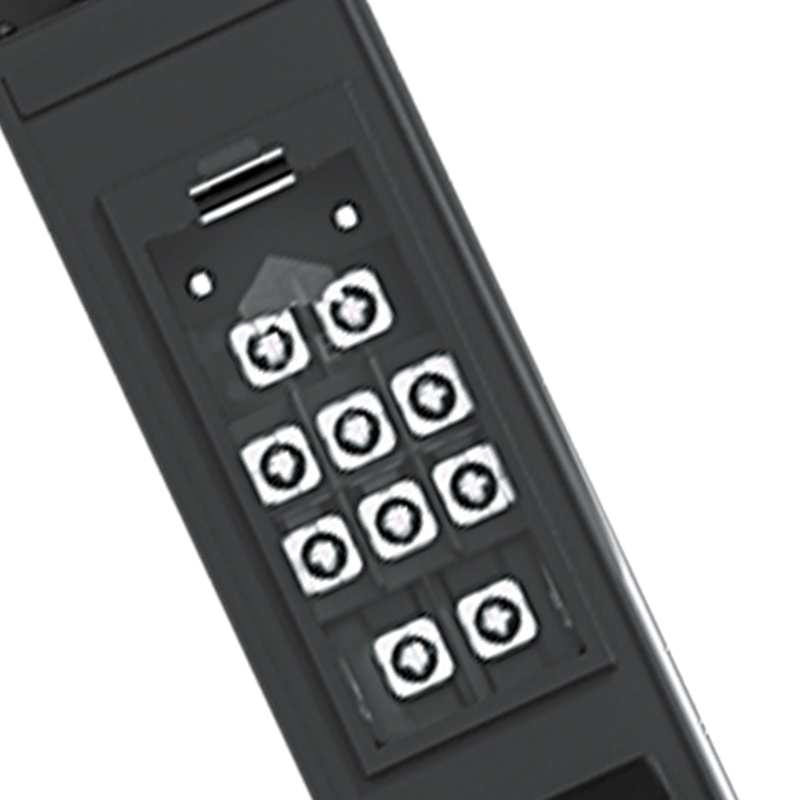
Formulate a strategy for distributing server power supplies evenly across L1, L2, and L3 banks in 3-phase systems. Poor distribution causes neutral wire overload and wastes available electrical capacity. Group your C13 and C19 connections logically. Plug server A into L1, server B into L2, and server C into L3. Monitor the digital display during installation. Keep the amperage draw within 10 percent across all three phases. If L1 draws 15A, L2 draws 14A, and L3 draws 16A, the system is balanced. If L1 draws 25A while L2 and L3 draw 5A, the neutral wire carries the unbalanced load, risking severe overheating.
Explain branch circuit protection mechanisms within the chassis. High-capacity units utilize internal magnetic-hydraulic circuit breakers to protect individual outlet banks. These breakers resist nuisance tripping in high-temperature environments better than standard thermal breakers. Understand the National Electrical Code (NEC) 80 percent derating rule. You cannot run a continuous load at 100 percent of the breaker rating. Factor this derating into your capacity planning.
Breaker Rating | NEC 80% Continuous Load Limit | Typical Application |
|---|---|---|
15 Amp | 12 Amp | Network switches, routers, light 1U servers |
20 Amp | 16 Amp | Standard 2U servers, storage arrays |
30 Amp | 24 Amp | Blade chassis, dense virtualization nodes |
Establish strict routing protocols for input power cords. Keep heavy power whips physically separated from copper data cables. High voltage creates electromagnetic interference (EMI) that degrades data signals on unshielded Cat6 cables. Route power cables down the left side of the cabinet and data cables down the right side. Maintain physical distance wherever possible. Cross power and data cables at 90-degree angles if they must intersect to minimize signal disruption.
Optimize power cord lengths for individual devices. Select shorter device cables where possible. Avoid using 6-foot cables for servers sitting right next to the outlets. One-foot or two-foot cables reduce slack dramatically. Less slack minimizes cable bundling. Thick bundles block airflow, and maintaining unobstructed airflow pathways keeps server fans running efficiently. It lowers the overall thermal footprint of the cabinet and extends the lifespan of your hardware.
Recommend the use of locking C13 and C19 receptacles. Accidental disconnects happen easily during routine rack maintenance when technicians bump cables while replacing adjacent servers. Locking receptacles grip the plug pins tightly. Alternatively, use physical retention clips. These clips secure standard power cords to the chassis, providing peace of mind in high-vibration environments or busy data centers.
Verify that final placement does not obstruct thermal management. Server exhaust fans push hot air out the rear of the cabinet. A poorly placed vertical chassis acts like a wall, trapping hot air inside the rack and disrupting the intended delta-T airflow. Monitor server intake and exhaust temperatures after installation. Adjust the mounting depth if you detect localized hotspots near the rear of the servers.
Outline the integration of management interfaces into secure networks. Connect the RJ45 management port to an out-of-band (OOB) management switch. Never place power management interfaces on the public internet. Isolate them on a dedicated management VLAN to prevent unauthorized access to critical power controls. Assign static IP addresses to each unit and document these IP addresses in your data center infrastructure management (DCIM) software.
Define best practices for configuring SNMP. Enable SNMPv3 for encrypted monitoring and disable older, insecure versions like SNMPv1 and SNMPv2c. Integrate environmental sensors directly into the chassis ports. Connect temperature and humidity probes, placing them at the top, middle, and bottom of the rack intake. Set automated alert thresholds for voltage or current anomalies. Configure email or SMS alerts to notify the network operations center instantly if a phase drops or amperage spikes.
Follow these steps to provision a smart unit:
Connect a laptop directly to the serial console port to assign the initial static IP address, subnet mask, and gateway.
Access the web interface via the management VLAN and update the firmware to the latest manufacturer release.
Change the default administrator username and password immediately to meet corporate security policies.
Configure NTP settings to ensure accurate timestamping in the event logs for troubleshooting.
Test the remote reboot functionality on a non-critical device to verify switching capabilities.
Backup the final configuration file to a secure repository for rapid disaster recovery.
Overloading a single branch circuit during an A/B feed failover event is a massive risk. IT teams often balance the rack perfectly under normal conditions, with Feed A running at 60 percent and Feed B running at 60 percent. If Feed A fails, Feed B suddenly demands 120 percent. The breaker trips instantly, and the entire rack goes dark. This design flaw negates the entire purpose of dual power supplies.
Simulate failover loads during the commissioning phase to mitigate this risk. Follow this testing procedure:
Power on all servers and run a synthetic stress test to generate maximum CPU and RAM utilization.
Monitor the amperage draw on both Feed A and Feed B via the digital display or web interface.
Unplug Feed A intentionally at the facility receptacle while the rack is under full load.
Watch the amperage spike on Feed B and verify it stays below the 80 percent NEC derating threshold.
Plug Feed A back in, wait for the load to balance, and repeat the test by unplugging Feed B.
Improper grounding leads to latent equipment damage and safety hazards. Racks generate static electricity, and faulty wiring creates stray voltage. Without a clear path to ground, this energy damages sensitive motherboards and creates a severe shock hazard for technicians touching the metal cabinet frame. Do not rely solely on the ground wire inside the input whip.
Verify facility grounding integrity before installation. Mandate the use of dedicated grounding lugs on the chassis. Run a 6 AWG copper grounding wire from the unit directly to the cabinet's grounding busbar. Use paint-piercing grounding washers to ensure metal-to-metal contact. Connect the cabinet busbar to the facility grounding grid. Test the ground resistance with a specialized meter, ensuring the resistance measures below the manufacturer's recommended threshold.
A successful installation requires aligning electrical capacity, physical rack geometry, and strict redundancy protocols long before physical mounting begins. Default to 0U configurations for dense enterprise racks to save compute space. Utilize 1U/2U models for limited-depth telecom racks. Scale from single-phase to 3-phase based on projected kilowatt-per-rack thresholds.
Audit your current rack power utilization and calculate your exact A/B failover thresholds.
Verify facility receptacle compatibility to match your required input whips.
Standardize your mounting hardware, choosing toolless pegs for modern racks or brackets for legacy cabinets.
Procure exact-length power cords to minimize cable slack and preserve cabinet airflow.
Simulate a physical power failover event before migrating production workloads onto the new hardware.
A: Choose a 0U model to save valuable compute space in standard server cabinets. They mount vertically in the rear. Choose a 1U or 2U model for two-post telecom racks or shallow wall-mount cabinets where vertical space is unavailable. 1U/2U models consume usable rack space but offer universal mounting compatibility.
A: High-density racks, blade servers, and dense compute environments require 3-phase power. It delivers significantly more kilowatts over fewer copper wires, reducing cable bulk. It also helps facility managers balance the overall electrical load across the building's main power panels.
A: Toolless mounting pegs allow rapid, gravity-held installation by sliding directly into keyhole slots on compatible server cabinets. Vertical mounting brackets require tools. You must secure them using standard cage nuts and screws. Use brackets when installing in non-standard or legacy enclosures lacking keyhole slots.
A: Hold the unit horizontally against the EIA-310 rack rails. Align the mounting ears with the square or threaded holes. Insert cage nuts if necessary. Secure the bottom screws first to support the weight, then install the top screws. Tighten them evenly to prevent chassis warping.
A: No. Heavy vertical units require a two-person lift. One technician must hold the heavy chassis steady inside the cramped cabinet. The second technician aligns the standoff bolts or engages the toolless pegs. This prevents equipment damage and avoids severe workplace injuries.
A: Distribute your server power supplies evenly across the L1, L2, and L3 outlet banks. Check the digital display to ensure the amperage draw remains within 10 percent across all three phases. Proper balancing prevents neutral wire overload and maximizes the available electrical capacity.
A: Do not rely solely on the input whip's ground wire. Run a dedicated 6 AWG copper grounding wire from the chassis grounding lug directly to the cabinet's grounding busbar. Use paint-piercing washers to ensure metal-to-metal contact, protecting equipment from stray voltage and static discharge.
A: Use locking C13 and C19 receptacles that grip the plug pins tightly. If your unit lacks locking outlets, install physical retention clips. These clips secure standard power cords to the chassis, preventing disconnects when technicians bump cables during routine maintenance.


