
Views: 0 Author: Site Editor Publish Time: 2026-03-04 Origin: Site


A power distribution unit lets you send electricity to many devices at once. You can often see a PDU in server racks or network cabinets. It gives power from a main source like a utility, UPS, or generator to your important IT equipment. Power distribution units help organize electricity flow, protect against surges, and let you check loads or control outlets from far away. Data centers and factories use power distribution units to keep equipment working well and safely. As digital services get bigger, PDUs help make sure your systems stay online and work well.
A Power Distribution Unit (PDU) sends electricity to many devices. It helps keep power safe and organized.
There are different kinds of PDUs, like basic, metered, and switched. Each type is made for different needs. Some just give power. Others let you check and control power.
Intelligent PDUs have special features. You can manage them from far away. They show you real-time power use. This helps you save energy and stop overloads.
Picking the right PDU means you must know how much power you need. You should look at the features. You also need to think about future growth.
Custom PDUs can be made for special needs. They make sure everything works together and stays safe in different places.
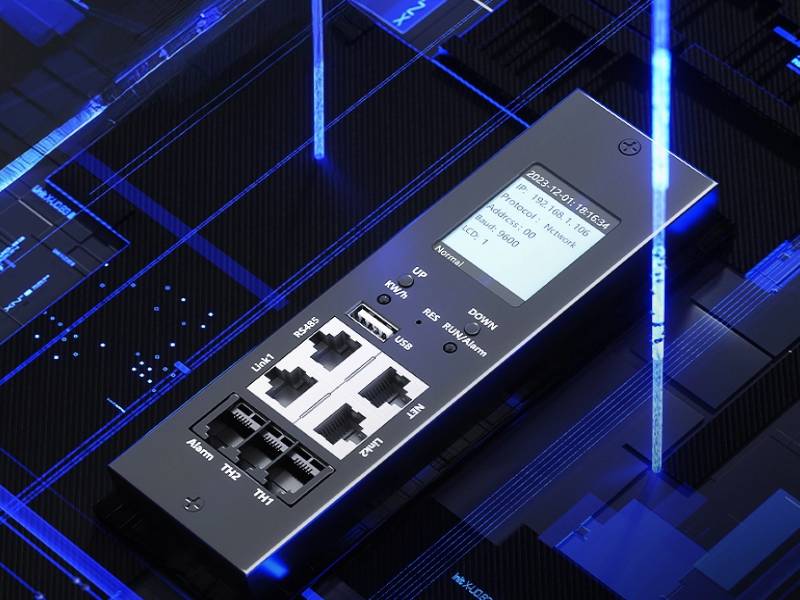
There are many kinds of power distribution units. Each one is made for different jobs. These units help you handle electricity for your devices. They keep your cables tidy and protect your equipment. Here are the main types you might use.
A basic PDU gives simple power to your devices. You plug it into a main power source. It sends electricity to several devices at once. This type is good for small server rooms. You do not need extra features for these places. Basic PDUs are common in computer labs and remote racks. They may have circuit breakers to keep things safe. They come in different shapes to fit your space. You can pick from many outlet types like NEMA or IEC.
Tip: Basic PDUs cost less and are easy to set up. They are great if you want simple power sharing without extra tools.
Metered and monitored PDUs help you see how much power your devices use. You can check real-time data on voltage and current. This helps you balance loads and stop overloads. You can plan for new equipment too. These PDUs show info on a screen or send it to your computer. They help you save energy and keep your devices safe.
Feature | Benefit |
|---|---|
Real-time monitoring | Stops overloads and saves energy |
Data display | Helps you plan for new devices |
Equipment protection | Keeps devices safe and working |
Switched PDUs let you control each outlet from far away. You can turn devices on or off without being there. This is helpful if you need to restart a server. You can also set times for equipment to run. Switched PDUs are found in data centers, labs, and network closets. They help you manage power and fix problems fast.
You can use a control panel or software to manage outlets.
Switched PDUs make it easy to reboot devices or save energy.
A rack power distribution unit fits inside a server rack. It gives power to all devices in that rack. This type keeps cables neat and makes adding or removing equipment easy. Rack PDUs often have features like power tracking, surge protection, and remote monitoring. You will see them in data centers and server rooms where space and reliability matter.
Beizhi+ has many kinds of PDUs. They offer smart, high-density, and high-power models. You can find solutions for small businesses and big data centers. They even have options for outdoor or industrial places. With Beizhi+, you get flexible choices to match your needs.
When you open a power distribution unit, you see many parts inside. Each part helps your devices get power and stay safe. Here are the main things you will find in a modern PDU:
AC inlet and outlet: These connect the PDU to your main power source. They send power to your devices.
Main circuit breaker: This stops power if something goes wrong. It keeps your equipment safe.
Individual outlets: You can plug in many devices at once. Some outlets let you check or control each device.
Control board: This lets you see power levels and change settings.
Remote control connections: You can manage your PDU from far away. This is good for big data centers.
EMI filters: These block unwanted electrical noise. They help keep your power clean.
Relays: These switches turn devices on or off without touching the PDU.
Auxiliary output: This lets you check if breakers and connections are working.
GFI module: This cuts power quickly if there is a problem. It protects you from electrical accidents.
Many intelligent pdus have extra modules. For example, Beizhi+ has the FSPD surge protection and filtering module. They also have the STAi intelligent control module and the PLP leakage protection module. These features help you use power safely and easily.
A power distribution unit is the main hub for power in your setup. You connect the PDU to a main source like a utility line, UPS, or generator. The PDU takes this power and sends it to each device you plug in.
The PDU checks the input power. It makes sure your devices get what they need.
It splits power into different outlets. Each device gets the right amount.
Some PDUs can change the type of power. They use converters or transformers. This helps if your devices need different voltages or types of current.
Intelligent pdus let you see how much power each device uses. You can check this data on a screen or with software.
You can control outlets from far away. You can turn devices on or off as needed.
With intelligent pdus, you get more than basic power delivery. You can balance loads and track energy use. You can even set schedules for your equipment. This makes your system safer and more efficient.
Tip: If you use a UPS or generator, connect it to your PDU. This keeps your devices running during power outages.
Safety is very important for every power distribution unit. You want to keep your equipment and your team safe. Modern PDUs have many safety features to help you.
Feature | Description |
|---|---|
Safety Standards | Follows international rules for safe operation. |
Circuit Protection Devices | Uses breakers and fuses to stop overloads and short circuits. |
Emergency Power Off Controls | Lets you shut down power fast in an emergency. |
Environmental Monitoring | Checks temperature and humidity to prevent problems. |
Surge Protection | Guards against sudden spikes in power. |
Remote Power Management | Lets you control power from a safe distance. |
You also find emergency machine off controls and lock-out/tag-out systems. These help you manage power safely during maintenance. Interlock systems make sure you turn on equipment in the right order.
Intelligent pdus from Beizhi+ add even more protection. The FSPD module shields your devices from voltage spikes and filters out interference. The PLP module finds leaks and cuts power in less than 30 milliseconds. The STAi module gives you remote control and real-time data. You can spot problems before they cause damage.
With these tools, your power delivery system keeps your devices safe. Your operations run smoothly and you can trust your equipment.
A pdu has many types of outlets. You will see C13 and C19 sockets a lot. These work with most servers and network devices. Some pdus have NEMA, IEC, or special outlets for different places. This means you can use equipment from other countries without problems. Always check the voltage and current numbers before you plug things in. Many pdus can handle up to 250V. They also work with currents from 16A to 63A. This lets you power small switches and big servers too.
Feature | Description |
|---|---|
C13/C19 Sockets | These are common for IT gear and fit most devices. |
Voltage/Current Range | You can use many devices, big or small. |
Region Compatibility | Works with US, EU, UK, and other places. |
Detachable Cords | Makes it easy to set up or change things. |
Multiple Outlets | Lets you plug in many devices at the same time. |
You can pick rack-mounted, floor-mounted, or portable pdus. This helps you find the right one for your space and needs. It is easy to build a system that fits your equipment.
Intelligent pdus help you manage your power better. You can see how much power you use right now. This helps you find problems and stop overloads. Smart pdus let you control outlets from anywhere. You can turn things on or off or set times to save energy.
Power monitoring helps you find wasted power. You can fix these problems and use energy better.
These features help you balance loads and use less energy. By watching your power use, you keep your system safe. You also get alerts if something is wrong. This lets you fix problems before they get worse.
A pdu does more than just give power. It keeps your equipment safe from harm. Surge protection stops sudden spikes from hurting your devices. Circuit breakers and fuses stop too much current or short circuits. Some pdus have GFI modules to stop electrical accidents.
Benefit | Description |
|---|---|
Surge Protection | Keeps devices safe from sudden high voltage. |
Overload Protection | Circuit breakers and fuses stop damage from too much power. |
Safety Features | Special points and locking outlets keep you and your gear safe. |
You can trust intelligent pdus to keep your equipment working well. They help you avoid downtime and protect your devices.
Custom power distribution units help you with special power needs. Sometimes you need different outlets or more safety features. You might need your PDU to work in other countries. Custom PDUs make sure your equipment works everywhere. They also help you follow safety rules and fit your setup.
You can pick many things when you make a custom PDU. Here are some ways you can change your unit:
Customization Type | Description |
|---|---|
Custom Connections | Choose NEMA, IEC, or high-current lugs for your devices. |
Custom Controls | Add meters, remote switches, or special monitoring systems. |
Custom Form Factor | Pick the size and shape that fits your rack or space. |
Networked and Non-Networked | Decide if you want Ethernet-based monitoring or simple controls. |
Packaging and Protection | Choose strong cases, special colors, or EMI filtering. |
System Monitoring | Get advanced voltage, current, and power quality tracking. |
Control Options | Use different power switches or ON/OFF setups. |
These choices help you match your PDU to your needs. It does not matter how tricky your setup is.
Beizhi+ gives you many custom PDU choices with the PEDIU-X line. You get special modules for many types of jobs. These work in data centers, new energy sites, and factories. Beizhi+ makes each PDU to fit what you need. You can trust their products for safe power management. Their experience helps you meet global rules and tough places.
You can follow easy steps to make your custom PDU with Beizhi+:
Decide what voltage, current, and power each device needs.
Make sure your unit follows safety rules and has good protection.
Pick a design that fits your space and keeps things cool.
Choose strong materials for insulation and housing.
Add things like remote monitoring, special interfaces, or extra protection.
Custom PDUs from Beizhi+ work in many real places. Data centers use them for smart power and saving energy. Factories and energy plants use them for safety and reliability. You can find their solutions where explosion-proof gear or advanced monitoring is needed.
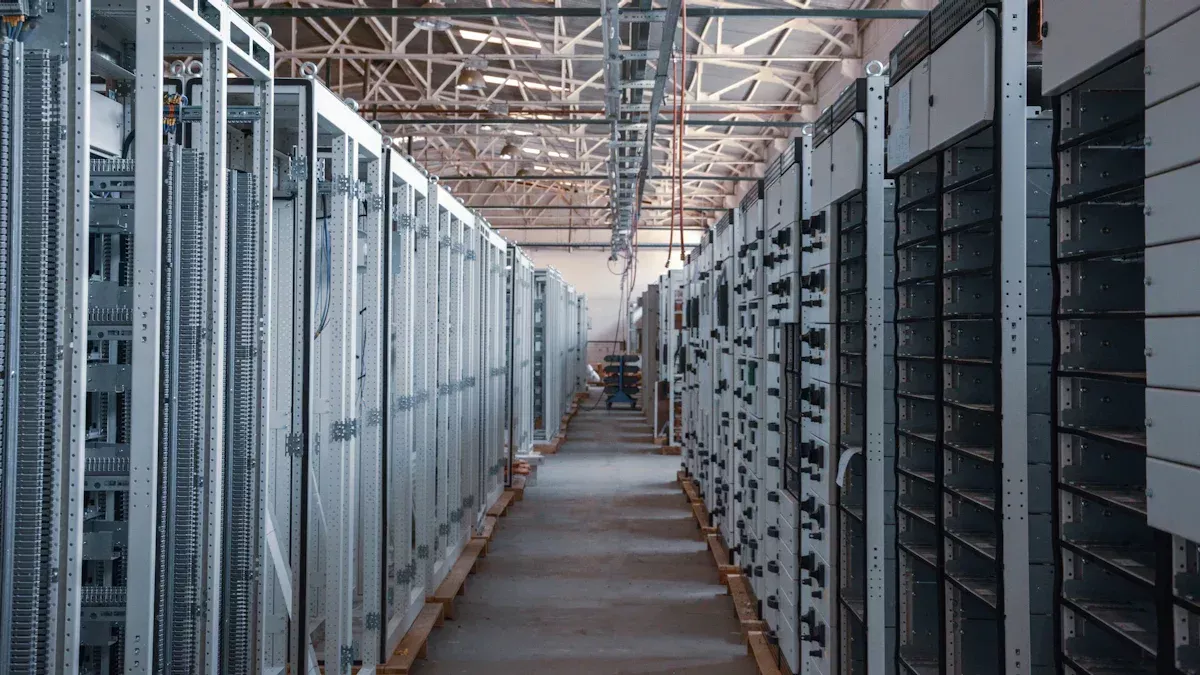
Rack power distribution units are found in almost every data center. They fit inside racks and send power to servers and other devices. You use them to keep your equipment working all the time. Rack-mounted pdus help you keep cables neat and make sure each device gets enough power.
Metered models let you check how much energy you use.
Surge protection and circuit breakers stop power spikes from hurting your data center.
Remote management lets you control outlets and restart devices from anywhere.
High-density models use less space and make things work better.
Tip: Put your PDU in the best spot to help air move and make fixing things easier.
These tools help your data center run well and protect your equipment.
Factories, labs, and other important places use rack power distribution units. These units give steady power to machines and control systems. Modern PDUs let you watch energy use and check the environment with sensors. Intelligent models can handle three-phase power and lots of electricity. This means you can add more power as your needs grow.
You get steady power for all your machines.
Remote monitoring helps you find problems early.
Modular designs let you add more power later.
Beizhi+ has special solutions for tough jobs. Their explosion-proof PDUs keep mining sites safe. Their IP54-rated models work well in dusty outdoor places, making power management easy even in hard conditions.
You can use rack power distribution units at home or in your office. These units help you power computers, printers, and network gear. Using a PDU keeps your workspace neat and safe. Some models let you check energy use and control devices from your phone or computer.
You stop overloads and protect your electronics.
Organized outlets make it easy to add or remove devices.
Smart features help you save energy and spend less money.
No matter where you work, a PDU helps you manage power and keep your equipment safe.
First, you need to know how much power you need. Make a list of every device you want to plug in. Check each device’s power rating. Add up all the numbers to get your total power use. Here are some steps to help you:
Figure out the total power your rack will use.
Pick a PDU that can handle this amount or more.
Think about backup power if your devices are very important.
Plan how you will organize cables and check them often.
Think about what you want your system to do. Do you want to watch how much power each device uses? If yes, pick a PDU with monitoring features. Know what voltage you have and what outlets you need. Check if you need special things like sensors or secure network controls.
Tip: Ask yourself questions about your hardware. How much power do you need? How many outlets do you want? What kind of devices will you use? This helps you stop overloads and keep things working.
When picking a PDU, look for features that fit your space. Start by checking how much power all your devices use. Make sure there are enough outlets for everything. If you need your devices to always stay on, pick a PDU with two power sources. Remote control lets you manage power from far away.
Check if the PDU fits in your rack.
Think about the temperature and humidity where you use it.
Make sure the PDU follows safety rules.
Look for PDUs that meet safety standards. Some PDUs let you track devices and send alarms if something is wrong. These features help keep your equipment safe and working well.
Your power needs might grow over time. Pick modular PDUs so you can add more later. Vertical PDUs give you more outlets and make it easy to expand. Use tools like DCIM to guess how much power you will need in the future.
Aspect | Description |
|---|---|
Scalability | Modular PDUs let you add more as you need it. |
Cost-effectiveness | Modular designs save you time and money. |
Fault tolerance | Extra backup keeps your devices running. |
You can talk to engineers or use Beizhi+ custom services for help. Their team can help you design a PDU for now and later. If you share your project details, you get a PDU that fits your space and keeps your devices powered.
You use a power distribution unit to send electricity to many devices. It does this safely and efficiently. In a data center, PDUs help you manage energy. They keep systems running well. You can check power from anywhere with PDUs. The table below shows why PDUs are important:
Key Point | Description |
|---|---|
Power Distribution | Sends power to all devices in a data center |
Energy Conservation | Helps save energy and reduce waste |
Remote Management | Lets you control power in your data center |
Picking the right PDU keeps your equipment safe. It also helps your data center grow in the future. Custom solutions from Beizhi+ let you meet special needs. You can trust PDUs to keep your systems working and safe.
A PDU sends power from one main source to many devices in your rack. You can keep your servers and network gear running safely and neatly.
Yes, you can use a PDU at home. It helps you power computers, printers, and other electronics. You keep your workspace tidy and safe.
Tip: Make a list of your devices. Check their power needs. Pick a PDU with enough outlets and the right voltage. Look for safety features and room to grow.
Basic PDU | Smart PDU |
|---|---|
Simple power only | Adds monitoring, control, and remote access |
You get more features with a smart PDU, like tracking power use and turning outlets on or off from far away.


