
Views: 0 Author: Site Editor Publish Time: 2026-07-21 Origin: Site


High-performance gaming rigs and multi-monitor setups represent thousands of dollars in hardware investment, yet they are frequently bottlenecked or endangered by inadequate power delivery systems. Standard wall outlets lack the necessary port density, accessibility, and surge defense required for modern gaming desks. Poor power management leads to cable clutter, tripped breakers, and hardware degradation from voltage spikes. When you build a custom loop liquid-cooled PC or mount three 4K displays on gas-spring arms, relying on a cheap plastic extension cord from a discount bin is a massive operational risk.
To protect valuable equipment, you must transition into a technical framework for evaluating power delivery options. Moving beyond basic extension cords requires engineered desktop power solutions that balance load capacity, safety compliance, and ergonomic accessibility. We need to look at the exact continuous wattage draw, the physical layout of the desk frame, and the specific surge suppression metrics that actually stop transient voltage spikes from frying a motherboard.
Calculate Total Draw: A high-end gaming PC and peripherals can easily draw 800W–1200W; selecting a unit with a 15A/1800W minimum rating is critical to prevent thermal overload.
Prioritize Clamping Voltage over Joules: While high Joule ratings indicate longevity, a clamping voltage of 330V or 400V dictates the actual speed and effectiveness of hardware protection.
Material Matters: An aluminum desktop power strip with USB charging offers superior heat dissipation and structural rigidity compared to consumer-grade plastic alternatives.
UPS Integration Rules: Never daisy-chain a desktop power strip into an Uninterruptible Power Supply (UPS); understand the strict physical layout required to maintain safe US standard power solutions.
Compliance is Non-Negotiable: Only shortlist devices that meet strict regulatory standards (e.g., UL 1449 for surge protection) to mitigate fire risks and ensure hardware warranty validity.
Calculating the combined power draw of the PC power supply, multiple high-refresh-rate monitors, audio amplifiers, and lighting establishes the baseline for your power infrastructure. A high-end GPU and CPU combination alone can pull upwards of 600 watts under heavy gaming loads. Adding peripherals quickly pushes the total demand toward the limits of standard household circuits. You cannot guess these numbers; you have to audit the nameplate ratings on every power brick and internal power supply unit (PSU) in the setup.
Applying the 80% rule ensures safety and longevity. Continuous loads should never exceed 80% of the maximum rated capacity of your power delivery device. For example, you must keep the continuous draw under 1440W on a standard 1800W unit to prevent thermal degradation of the internal wiring. When copper wire heats up, its resistance increases, which generates even more heat in a dangerous feedback loop.
Gauge ratings dictate current flow efficiency. High-draw gaming setups require heavy-duty 14 AWG or 12 AWG power cords. Thinner wires create resistance heating, which poses a severe fire hazard when subjected to sustained high-wattage gaming sessions. Always check the jacket printing on the power cord to verify the American Wire Gauge (AWG) size before deploying it in a high-load environment.
Component Type | Estimated Peak Draw (Watts) | Continuous Load Impact |
|---|---|---|
High-End Gaming PC (RTX 4090 / i9) | 700W - 1000W | High (Fluctuates with GPU load) |
32-inch 4K High-Refresh Monitor | 60W - 120W | Medium (Constant during use) |
Studio Monitor Speakers (Pair) | 50W - 150W | Low to Medium |
Motorized Standing Desk Frame | 200W - 300W | Intermittent (Only during movement) |
Streaming Lighting / Ring Lights | 30W - 80W | Constant |
Understanding the technical distinction between a basic power strip and a true surge protector is vital. A basic unit merely acts as an extension of your wall outlets, offering zero defense against electrical anomalies. A surge protector contains Metal Oxide Varistors (MOVs) designed to absorb and dissipate transient voltage spikes before they reach your sensitive components. MOVs act as a pressure relief valve for electricity, shunting excess voltage to the ground wire.
Evaluate surge protection using three primary metrics. The Joule rating should be a minimum of 2000 for gaming hardware. Clamping voltage must ideally sit below 400V to ensure rapid intervention. Response time needs to be under one nanosecond to catch fast-moving electrical transients. If the clamping voltage is too high, the surge will bypass the MOVs and hit your motherboard VRMs directly.
Surge protectors suffer from silent failure. MOVs degrade over time as they absorb minor surges from the grid. Active "Protected" LED indicators are essential because they provide visual confirmation that the internal defense mechanisms remain functional. Once that light goes out, the unit is just a standard extension cord and must be replaced immediately.
Modern gaming power supplies utilize active Power Factor Correction (PFC). These sensitive components require specific waveform deliveries from backup systems. Pure sine wave UPS units interact flawlessly with active PFC, whereas simulated sine wave units can cause system crashes, buzzing noises, or hardware stress during power transitions. When the grid drops, the switchover to battery power must be seamless and electrically identical to wall power.
Daisy-chaining a desktop power strip into a UPS introduces severe operational hazards. This practice alters the impedance of the circuit and can overload the UPS inverter. Structure a safe dual-tier power layout by plugging the UPS directly into the wall, and connecting only critical components (PC tower and primary monitor) directly to the UPS battery-backed outlets. Non-critical peripherals should run on a separate surge protector plugged into a different wall receptacle.
Clamp-on designs offer immediate accessibility for temporary peripherals. Users can easily plug in phone chargers, racing wheels, or testing equipment without crawling under the desk. This ergonomic advantage significantly improves the daily user experience, especially for content creators who frequently swap out camera batteries and external capture cards.
However, these units take up physical desk real estate. They also introduce visible cable routing across the work surface, which may conflict with minimalist aesthetic goals. The clamping mechanism must also be robust enough to handle the insertion force of stiff three-prong plugs without shifting or damaging the desk edge.
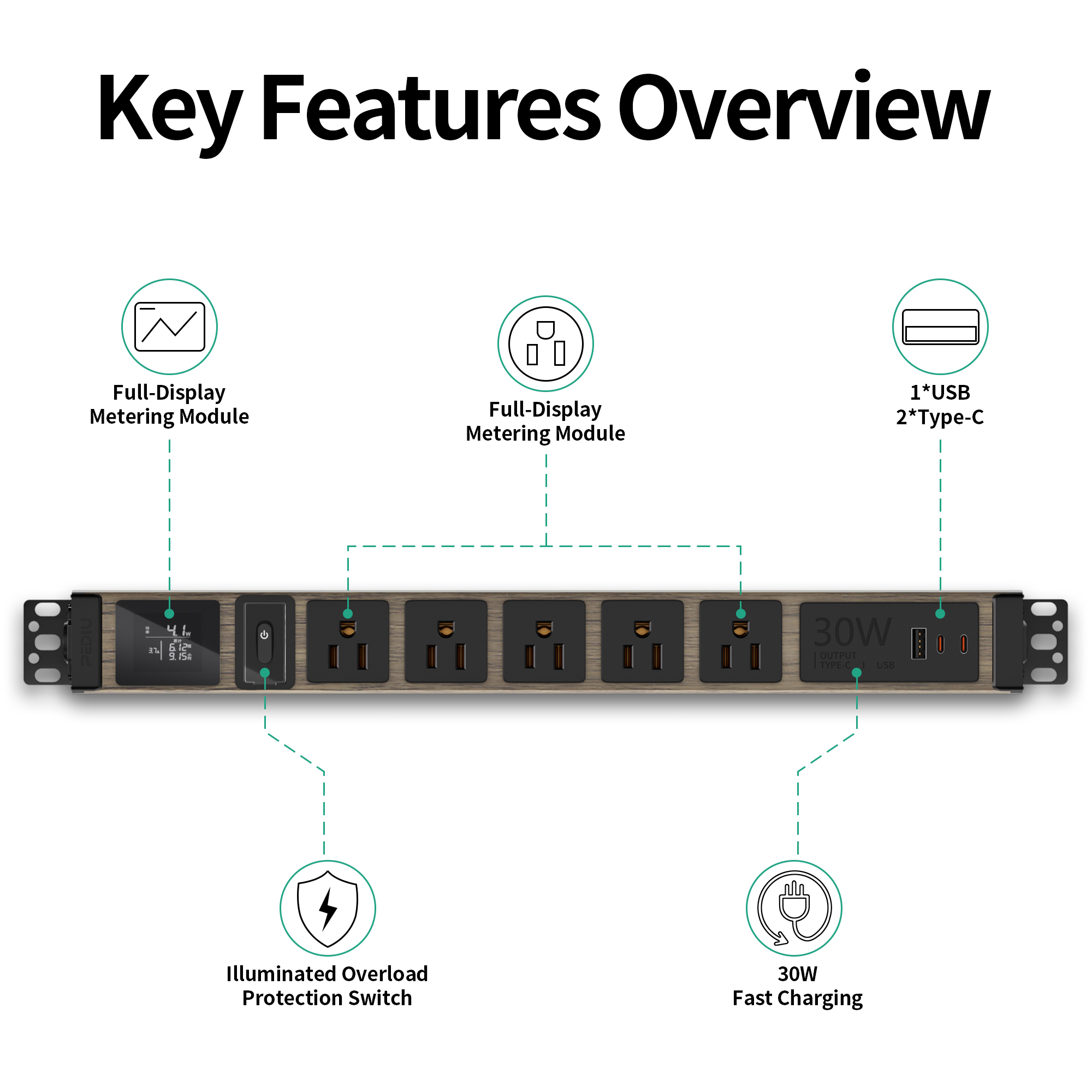
Extruded aluminum housings provide distinct advantages for high-performance environments. An aluminum desktop power strip with USB charging delivers superior thermal management under sustained loads. The metal chassis acts as a heatsink, pulling heat away from internal copper busbars, and offers exceptional resistance to physical impact from dropped heavy peripherals.
Integrating high-wattage USB-C Power Delivery (PD) and USB-A ports reduces reliance on bulky wall warts. This streamlines the charging process for mobile devices, tablets, and wireless gaming headsets directly from the desk surface. You eliminate the clutter of multiple AC adapters fighting for space on the main outlet block.
Modern units utilize Gallium Nitride (GaN) technology. GaN integrated charging protocols allow for multi-device dynamic power allocation, delivering PD 3.0 up to 65W or 100W efficiently without overheating. This means you can fast-charge a secondary gaming laptop or a high-end tablet directly from the desk unit without triggering thermal throttling.
Transitioning from consumer-grade strips to a professional power distribution unit elevates the safety and control of complex setups. Dual-PC streaming configurations, home labs, and complex sim-racing rigs demand robust infrastructure that standard plastic strips simply cannot provide. These environments often pull continuous loads that hover right at the 15-amp breaker limit.
Dedicated residential PDU solutions feature rack-mountable designs that secure easily under heavy-duty standing desks using standard cage nuts and machine screws. They often provide individual outlet switching, allowing you to hard-reboot specific monitors or audio interfaces without crawling under the desk. Furthermore, they offer cleaner power conditioning to protect sensitive audio and video equipment from line noise.
Form Factor | Best Use Case | Mounting Style | Typical Material |
|---|---|---|---|
Clamp-On Strip | Frequent peripheral swapping, charging | Edge C-Clamp | Plastic / Light Aluminum |
Under-Desk PDU | Heavy continuous loads, dual-PC setups | Screw-mount / Rack-mount | Heavy-duty Steel / Aluminum |
In-Desk Grommet | Minimalist setups, permanent fixtures | Hole cut-out | Plastic / Aluminum bezel |
Wide-spaced or rotating outlets accommodate oversized AC adapters without blocking adjacent ports. Standard spacing often renders half the unit unusable when connecting large monitor or speaker transformers. When auditing a unit, measure the distance between the center pins of the receptacles; you want at least 2 inches of clearance for standard gaming peripheral bricks.
The orientation of outlets dictates cable management routing. Horizontal alignments generally allow cables to drop straight down into a cable tray, while vertical alignments might force cables to bend awkwardly against desk frames, putting stress on the plug heads and the internal soldering of the strip.
A low-profile, 45-degree flat wall plug keeps the primary connection flush against baseboards. This design prevents heavy desks or cabinets from crushing the plug and damaging the wall receptacle. It also ensures the heavy 14 AWG cable routes naturally downward toward the floor rather than sticking straight out and creating a tripping hazard.
C-clamp mounts require careful evaluation. Users must check maximum desk thickness compatibility and ensure the clamp features surface protection pads (like dense EVA foam or rubber) to prevent scratching the desk finish. Over-tightening a bare metal clamp on a hollow-core desk will crush the surface veneer.
Grommet-hole installations offer aesthetic cleanliness but require permanent modification to the desk surface using a hole saw. Under-desk screw mounts provide extreme stability but demand careful drilling to avoid penetrating the top surface of the desk. Always use a drill stop collar when pre-drilling pilot holes for under-desk mounting hardware.
Magnetic and adhesive-backed mounting alternatives offer tool-less installation. However, adhesives routinely fail under the weight of heavy-gauge cables and the heat generated by the power unit. Magnets require a compatible steel-frame desk and must be exceptionally strong (neodymium) to resist the pulling force of thick power cords during desk height adjustments.
Identifying legitimate US standard power solutions prevents catastrophic hardware failure. Uncertified units often utilize substandard wiring, fake ground pins, and cheap solder joints that cannot handle the sustained draw of gaming PCs. A melted power strip is a fast track to a house fire.
Verify UL (Underwriters Laboratories) 1363 for relocatable power taps or UL 1449 for surge protective devices. ETL certifications provide equivalent safety assurances. Always ensure the device features grounded indicators and active protection indicator lights to confirm operational safety. Do not trust CE marks alone on imported units, as they are frequently self-certified and not independently tested to North American safety standards.
Integrating your power delivery system with under-desk cable trays, J-channels, and raceways eliminates hanging wires. Secure the main unit firmly to the desk frame to prevent cables from pulling loose during desk height adjustments. Use hook-and-loop straps rather than zip ties to bundle power cables, as zip ties can pinch the insulation and create hot spots.
Managing the primary heavy-gauge power cord requires leaving adequate slack. Ensure proper strain relief so the cord does not restrict the movement of motorized sit-stand desks or pull the plug from the wall at maximum extension. Create a "service loop" at the base of the desk leg to absorb the vertical travel distance safely.
High-end audio interfaces, streaming microphones, and high-refresh gaming displays are susceptible to electrical noise. EMI/RFI noise filtering within the power unit prevents this interference from degrading signal quality. Without filtering, you will hear a distinct buzzing in your studio monitors whenever the GPU ramps up under load.
Maintain physical separation between power and data lines. Route AC power lines away from unshielded audio cables and DisplayPort/HDMI runs to prevent signal degradation and eliminate ground loop hum. If power and data cables must cross, ensure they intersect at a 90-degree angle rather than running parallel to each other.
Ultra-slim, minimalist desk strips look excellent but lack the physical space required for heavy-duty MOVs and thick internal copper busbars. High-capacity components require physical volume to manage heat and voltage safely. You cannot cheat physics; a strip the size of a marker pen cannot safely suppress a 3000-Joule surge or dissipate the heat of a 15-amp continuous load.
Hiding a high-capacity unit under the desk while keeping a smaller, low-draw charging strip on top often represents the optimal hybrid approach. This separates heavy AC loads (PC, monitors, desk motors) from daily peripheral charging needs (phones, headsets, controllers). It keeps the heavy, ugly cables out of sight while maintaining ergonomic access to USB power.
Selecting the right power delivery system requires balancing the total wattage of the gaming rig with the ergonomic need for accessible charging and peripheral power. Proper planning prevents hardware damage, eliminates cable clutter, and ensures your expensive components receive clean, stable electricity.
Audit your total peak wattage by checking the nameplates on all devices to ensure your chosen unit can handle the continuous load.
Verify UL/ETL safety certifications and confirm the clamping voltage is 400V or lower for sensitive electronics.
Select a form factor that matches your desk's physical constraints and cable management strategy.
Measure the thickness of your gaming desk to ensure clamp compatibility before purchasing any edge-mounted units.
Inventory all required plugs, including bulky adapters, to determine the necessary outlet spacing and orientation.
A: A basic strip only provides additional outlets and acts as an extension cord. A surge protector includes internal components, like Metal Oxide Varistors (MOVs), designed to absorb and dissipate harmful voltage spikes before they damage connected electronics.
A: Yes, provided the unit is rated for the total wattage of your setup (typically 15A/1800W) and includes adequate surge protection. Ensure the continuous draw of your PC and monitors does not exceed 80% of the unit's maximum capacity.
A: These are robust power distribution units designed for complex home setups. They are necessary for dual-PC streaming rigs, home servers, or extensive sim-racing setups that require rack-mounting, individual outlet switching, and superior power conditioning.
A: A high-end gaming setup should utilize a surge protector rated for at least 2000 Joules. Higher Joule ratings indicate the device can absorb more energy over its lifespan before the internal protection mechanisms degrade and fail.
A: No. Daisy-chaining violates fire safety codes and overloads the internal wiring of the primary unit. It increases resistance, generates excessive heat, and significantly elevates the risk of an electrical fire. Always plug units directly into a wall receptacle.
A: It is highly discouraged. Plugging a strip into a UPS can overload the inverter and alter the circuit impedance. You should plug the UPS directly into the wall and connect only critical hardware directly to the UPS battery outlets.


